
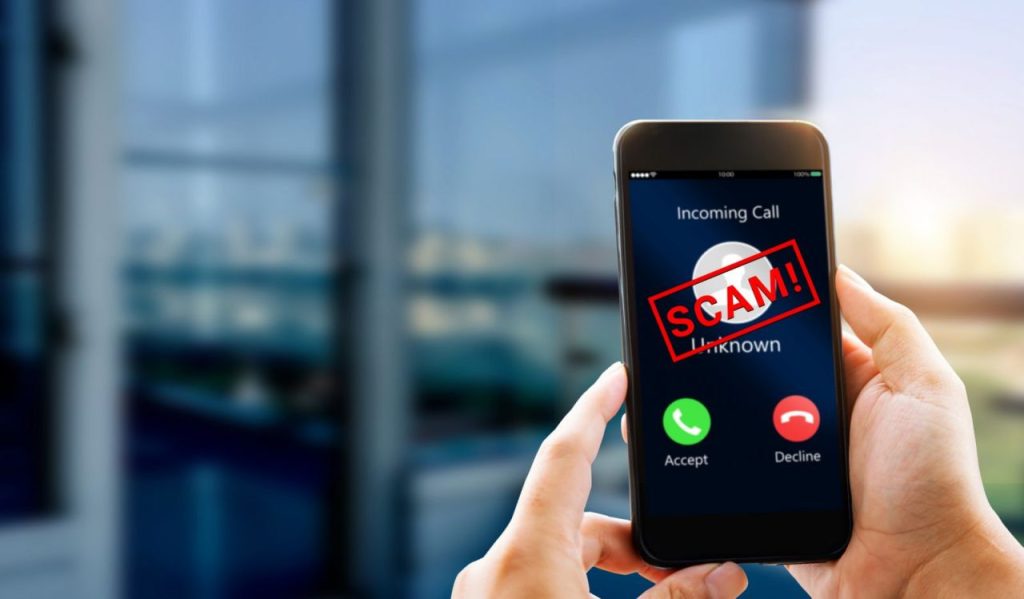
M-Pesa fraud has become a growing concern in Kenya as cybercriminals develop new tricks to scam unsuspecting users. With millions of Kenyans relying on M-Pesa for transactions, bill payments, and savings, fraudsters are exploiting this digital convenience to steal money and personal data.
In this article, we’ll explore common M-Pesa scams, how these fraudsters operate, and most importantly, how you can protect yourself from falling victim.
1. Common M-Pesa Fraud Tactics and How They Work
1.1 Fake M-Pesa Reversal Requests
Fraudsters send a fake M-Pesa message claiming they sent money to your number by mistake. Shortly after, they call pretending to be the sender and urgently request a refund.
🔹 How They Trick You:
- They use fake M-Pesa SMS messages that look like real transaction alerts.
- They pressure you into refunding money before you can confirm the transaction.
🔹 How to Stay Safe:
- Always confirm transactions in your M-Pesa balance by dialing *334# before taking any action.
- Do not refund money to unknown numbers unless verified through Safaricom.
1.2 Fake Customer Care Calls
Fraudsters impersonate Safaricom agents, claiming there’s an issue with your M-Pesa account. They may say your SIM card will be blocked if you don’t provide certain details.
🔹 How They Trick You:
- They ask for your M-Pesa PIN, ID number, or SIM card details to “fix an issue.”
- They use tricks like “account verification” or “network upgrade” to seem legitimate.
🔹 How to Stay Safe:
- Safaricom will never ask for your PIN or personal details over the phone.
- If someone claims to be from Safaricom, hang up and call 100 (Safaricom customer care) for confirmation.
1.3 Fake M-Pesa Promotion and Prize Scams
Fraudsters send messages or call claiming you’ve won money, airtime, or a car from Safaricom or other companies. They then ask you to send “processing fees” before you can receive your prize.
🔹 How They Trick You:
- They use names like “Pokea Pesa Promotion” or “M-Pesa Jackpot Winner” to sound legitimate.
- They request a small payment first, knowing some victims will fall for it.
🔹 How to Stay Safe:
- If you didn’t enter a competition, you can’t win. Ignore such messages.
- Verify promotions directly on the official Safaricom website or by calling 100.
1.4 SIM Swap Fraud
This is one of the most dangerous scams, where fraudsters gain access to your M-Pesa account by replacing your SIM card.
🔹 How They Trick You:
- They convince Safaricom agents to issue a new SIM card with your number.
- Once they have access, they reset your M-Pesa PIN and steal your money.
🔹 How to Stay Safe:
- Enable SIM card lock with a PIN code to prevent unauthorized swaps.
- Activate Safaricom’s Hakikisha service to verify transactions before confirming.
- If your phone suddenly loses signal for a long time, immediately contact Safaricom.
2. How to Protect Your M-Pesa Account from Scammers
2.1 Keep Your M-Pesa PIN Secure
- Never share your PIN with anyone—even Safaricom staff or family members.
- Change your PIN regularly for extra security.
- Avoid using easily guessed PINs like birthdays or “1234.”
2.2 Use Hakikisha to Verify Transactions
- Hakikisha is an M-Pesa feature that displays the recipient’s name before you send money.
- Always check the name before confirming any transaction.
- If the name doesn’t match, cancel the transaction immediately.
2.3 Enable Two-Step Authentication for M-Pesa App
- If you use the M-Pesa app, enable two-factor authentication (2FA).
- This adds an extra layer of security, preventing unauthorized logins.
2.4 Regularly Check Your M-Pesa Statements
- Review your M-Pesa statements every month to detect suspicious activity.
- If you notice unauthorized transactions, report them immediately to Safaricom.
3. What to Do If You’re Scammed on M-Pesa
If you fall victim to M-Pesa fraud, take immediate action to protect your money and personal details.
Step 1: Contact Safaricom Immediately
- Dial 100 (Safaricom Customer Care) or 333 (for fraud reporting).
- If money was sent to the wrong number, use “M-Pesa reversal” by forwarding the message to 456.
Step 2: Report to the Police
- If the fraud involves a large amount of money, report it to the nearest police station.
- Request a case reference number to track progress.
Step 3: Secure Your M-Pesa Account
- Change your PIN immediately if you suspect it’s compromised.
- Lock your SIM card by setting a PIN to prevent future fraud.
4. How Businesses Can Protect Themselves from M-Pesa Scams
If you run a business that accepts M-Pesa payments, you must take extra precautions to avoid fraud.
4.1 Verify Payments Before Releasing Goods
- Always confirm M-Pesa payments in your official business account before handing over products or services.
- Use official Safaricom till numbers to receive payments safely.
4.2 Train Employees on M-Pesa Fraud Prevention
- Educate your staff on common scams and warning signs.
- Set strict policies for verifying payments before completing transactions.
4.3 Monitor Your M-Pesa Transactions
- Keep a daily record of all M-Pesa payments.
- If you notice any unusual transactions, report them immediately.
Conclusion
M-Pesa fraud is one of the biggest digital threats facing Kenyans today. However, by staying informed and following best security practices, you can protect yourself from scammers.
At TechRahisi, we help businesses secure their M-Pesa integrations, payment systems, and mobile apps from fraudsters. If you need secure digital solutions, let’s talk!
📞 Call us: +254726572527
📧 Email: developers@techrahisi.co.ke
🌍 Visit: techrahisi.co.ke